4.2 Data processing projects
While not strictly necessary, it is recommended to perform each non-target data processing analysis in a project. In patRoon, these projects typically contain one or more R script files, configuration files and tables with the analysis information.
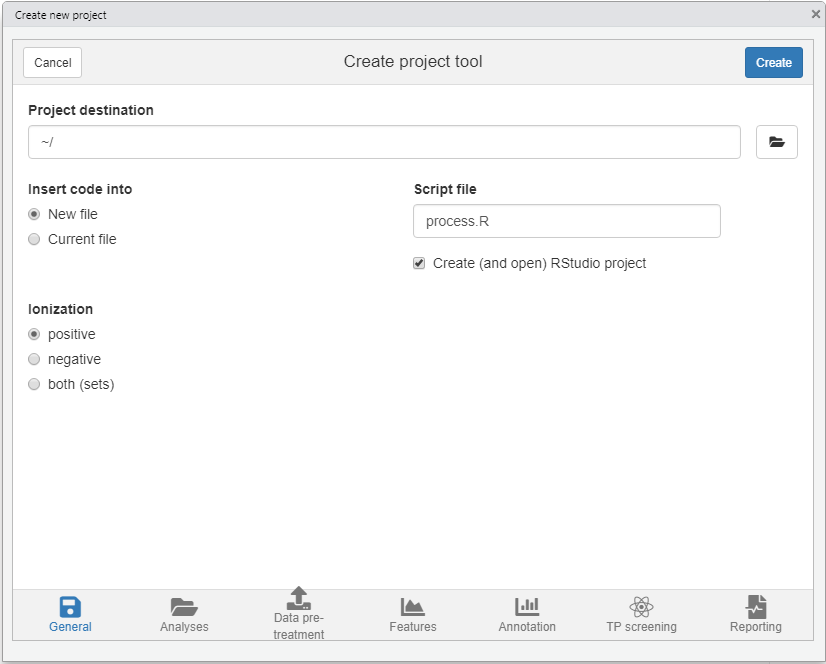
To start a new project, or to simply explore the capabilities of patRoon, it is easiest to run the newProject() function within RStudio. This function launches a small tool (see screenshot below) where you can select your analyses and configure the various workflow steps which you want to execute (e.g. data pre-treatment, finding features, annotation etc). After setting everything up the function will generate a template script which can easily be edited afterwards. In addition, you have the option to create a new RStudio project, which makes it easier to re-open the project in future data processing sessions.
NOTE At the moment
newProject()requires RStudio.
The next sections further describe the steps needed to setup the sample analysis and how to perform the workflow. This information can be used to manually create projects or serve as an explanation to what newProject() performs automatically for you.